
Date order is not enough
When you want to find a specific resort, drill, or run, the Photos timeline is not built for ski practice review.
Snow Video Review App
SnowLog helps skiers and snowboarders organize videos by resort, technique, and date, so every run is easier to review later.

For iOS / Offline-first / Japanese and English
Why SnowLog
When you want to find a specific resort, drill, or run, the Photos timeline is not built for ski practice review.
Videos, notes, snow conditions, and diary entries lose value when they live in separate places.
Snow videos take space quickly, so organization should not require another copy of every file.
Features
SnowLog estimates Japanese ski resorts from GPS metadata and groups videos by where you rode.
Attach carving, short turns, free runs, custom tags, and personal notes to each video.
Review each ski day with videos, weather, snow quality, impressions, and diary details.
Search titles and notes, then look back by season, resort, and technique trends.
Import multiple slope videos at once and keep organizing while progress is visible.
Videos that are not yet downloaded to the device can be fetched during import when needed.
Screens
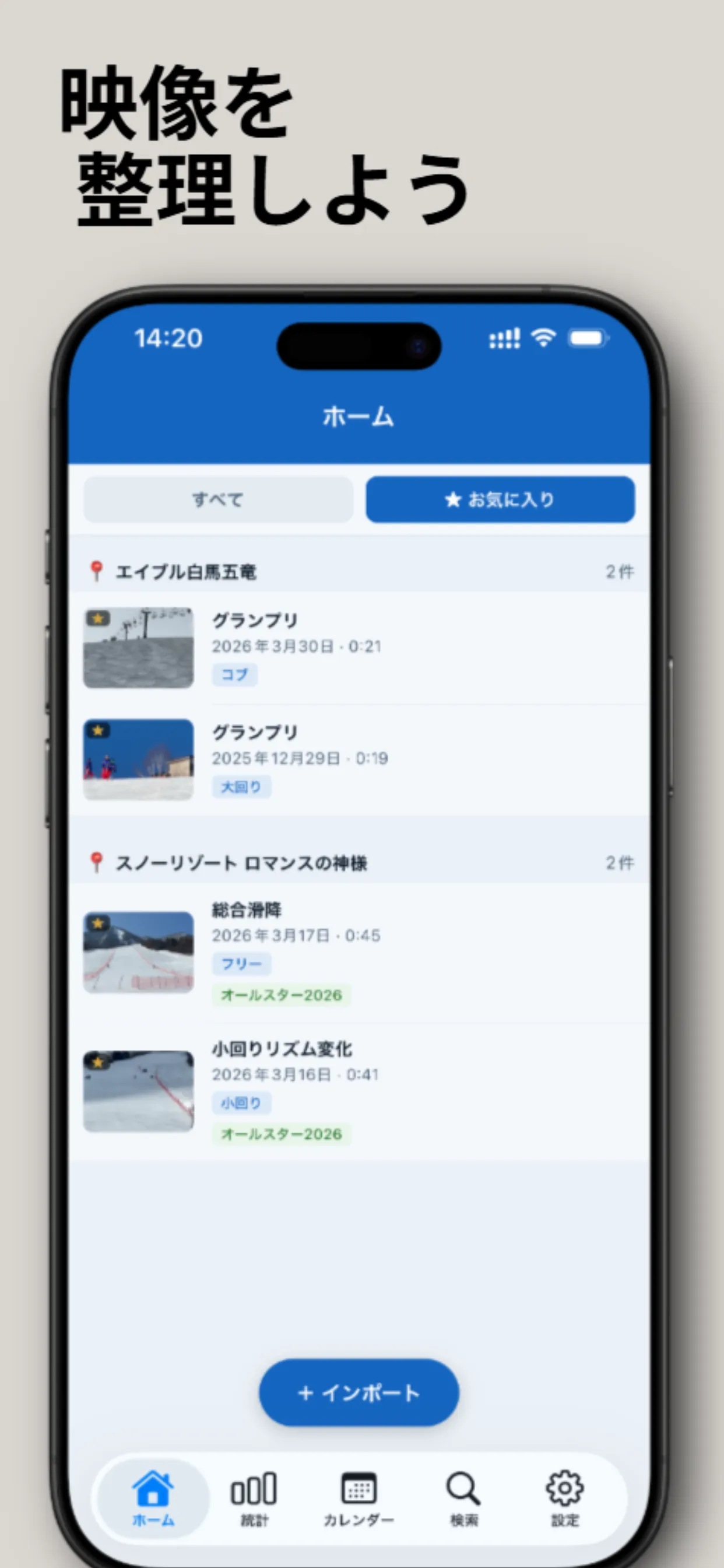
Return to videos by resort, favorites, and technique labels.
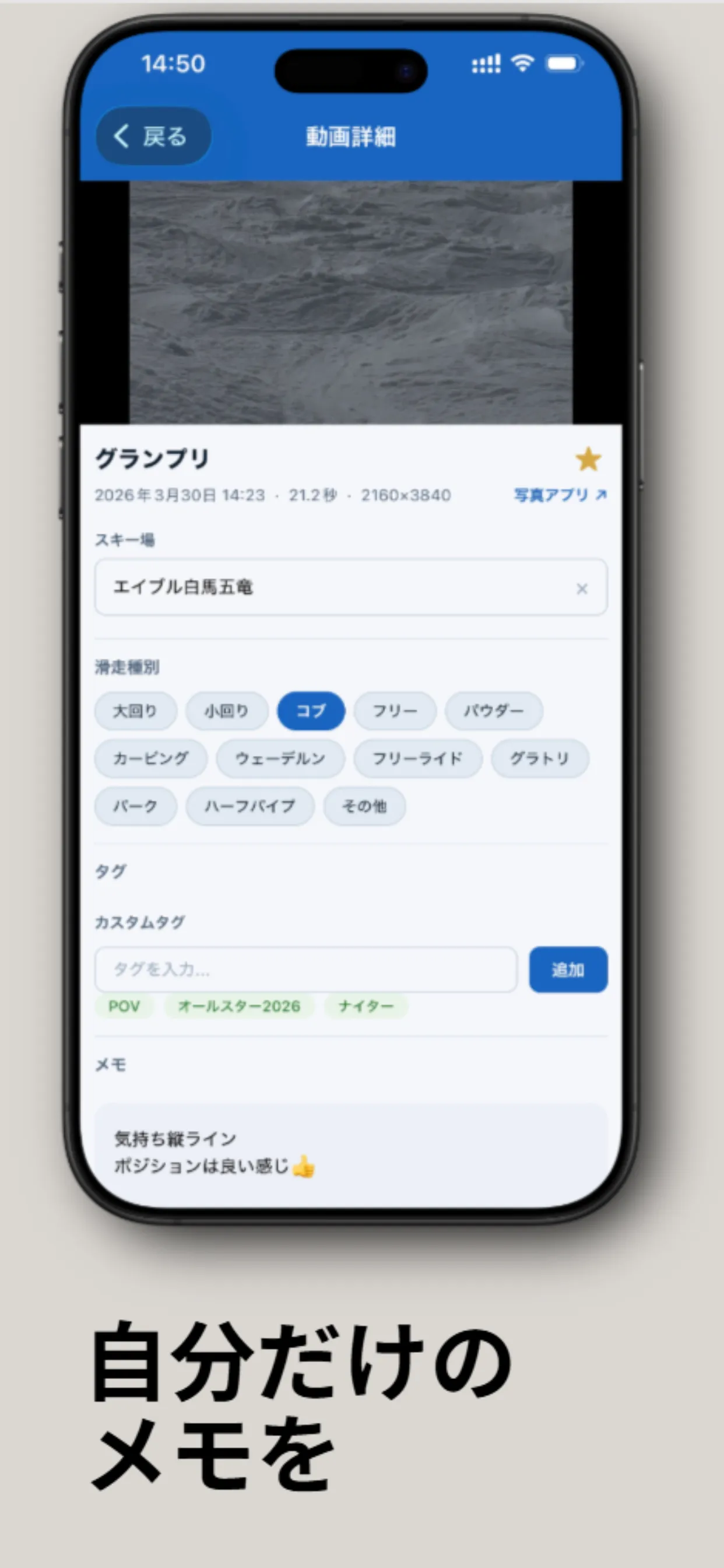
Keep resort, technique, tags, and private notes attached to each run.
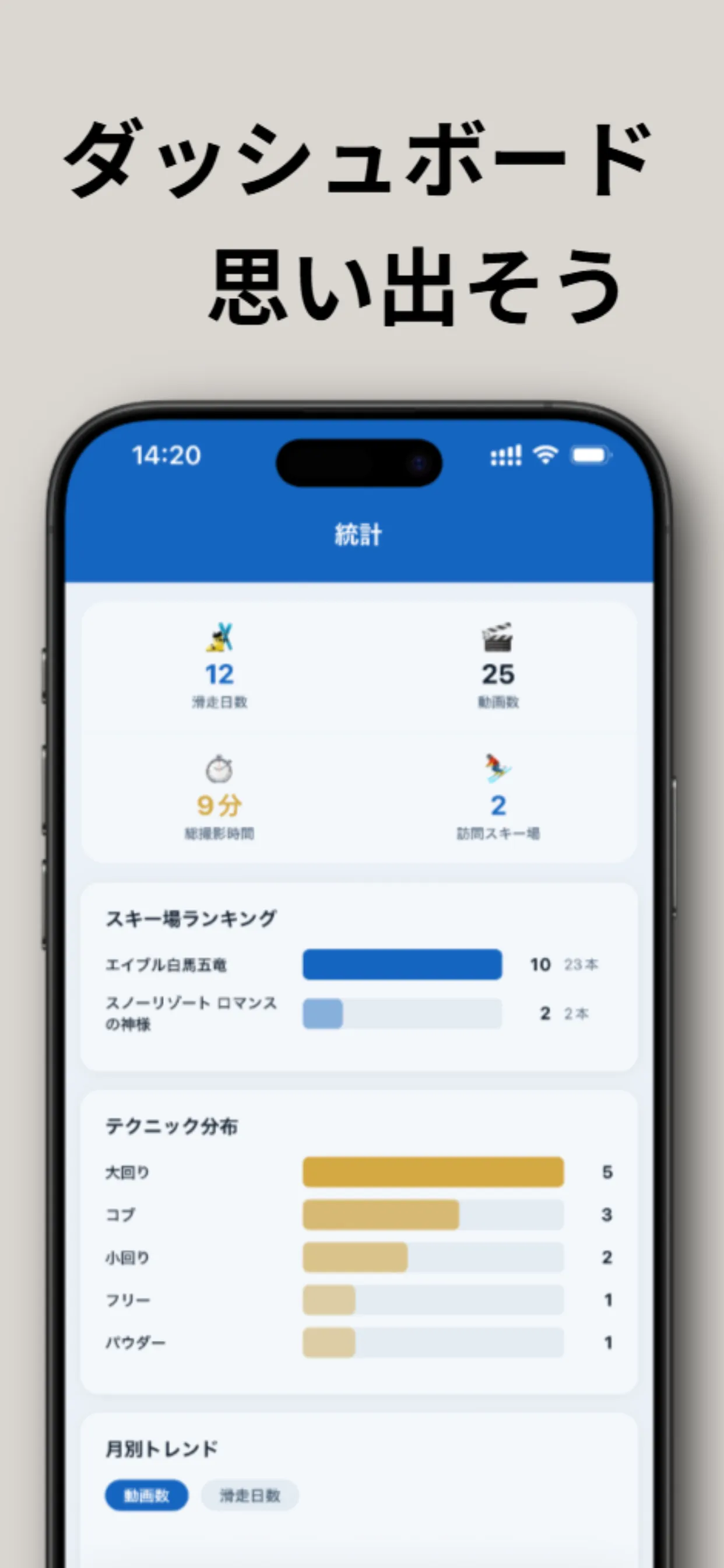
Review ski days, video counts, resort rankings, and technique trends by season.
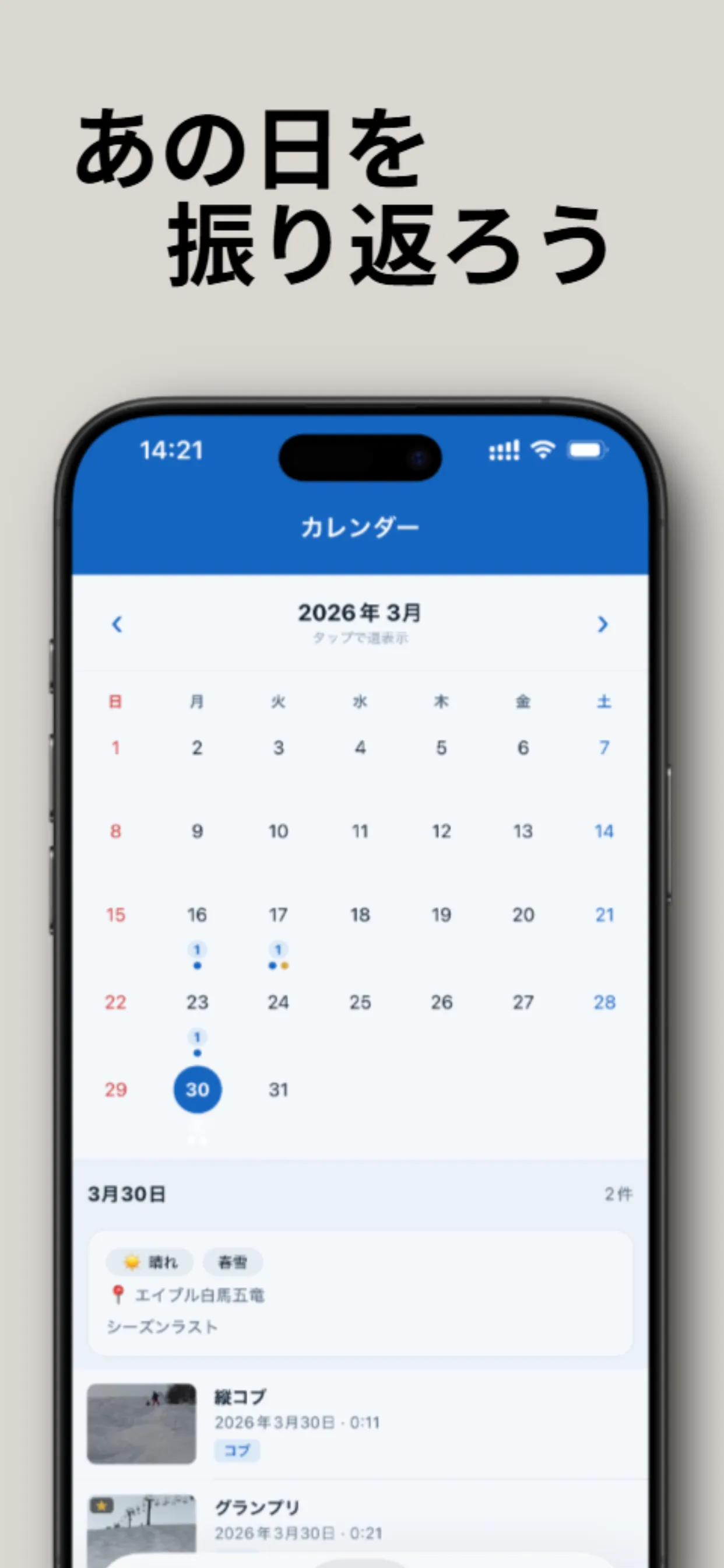
Look back at each day with weather, notes, and the videos from that session.
Offline First
SnowLog manages video information on your device instead of relying on cloud sync. It references large videos in your photo library rather than duplicating them just for organization.
View on the App StoreFAQ
SnowLog is currently distributed on the App Store for iOS. An Android version may be considered in the future, but there is no release schedule.
Yes. SnowLog is free to use and does not include ads or in-app purchases.
SnowLog supports iOS 16 and later. Using the latest iOS version is recommended.
SnowLog is designed to fetch videos during import when they are not yet downloaded to the device. Wi-Fi is recommended.
In general, SnowLog references videos in the photo library and manages only the information needed for review, such as titles, notes, tags, and thumbnails.
No. SnowLog works locally and does not include server sync or analytics SDKs.
SnowLog is designed around JSON export and import from the app settings. Migration improvements are ongoing.
Yes. SnowLog supports Japanese and English, following the device language or the in-app language setting.